Streamline supply chain operations, cut operational risk, and reduce manual work. Tive automatically creates shipments, escalates alerts, and notifies the people named in your SOPs, so your team steps in only when it is needed.
Every exception is handled manually, by one person, one shipment at a time.
The response depends on who is watching, and when the excursion happens.
Setting up and closing out shipments takes more time with every new lane and customer.
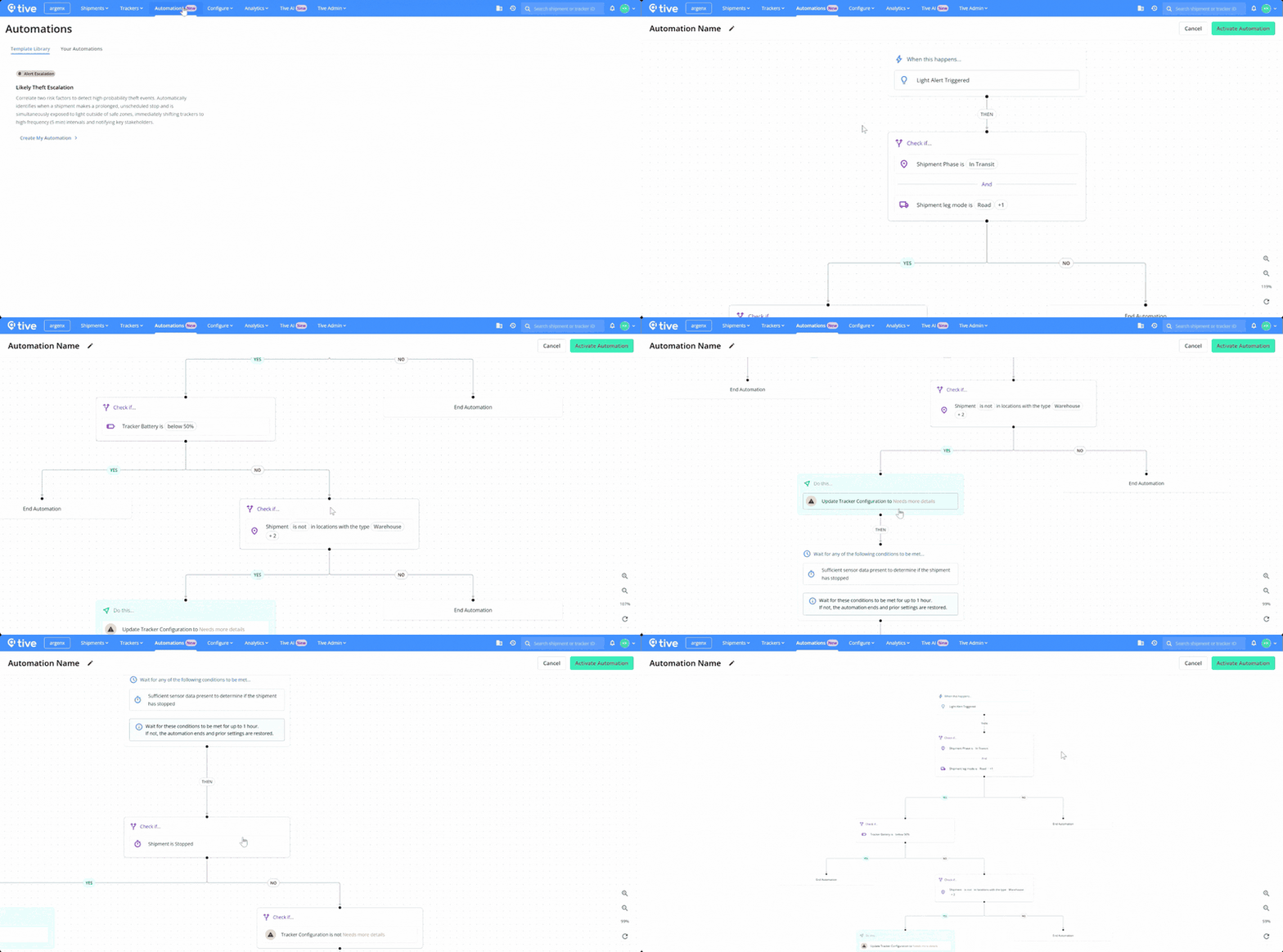
Start with a proven workflow, complete with preset triggers, conditions, and responses.
Choose the event, such as a stop or a temperature alert, and when it should apply.
Edit the preset response and automated actions to match your SOP.
Tive applies the workflow to every matching shipment, around the clock.
A truck makes an unplanned stop in a high-risk area a few miles after pickup.
Set up an AI agent to take action on your behalf. Instead of only notifying someone, the workflow can send an email, make a phone call or check a photo, understand the response and decide what happens next. Less chasing for your team, and less operational risk.
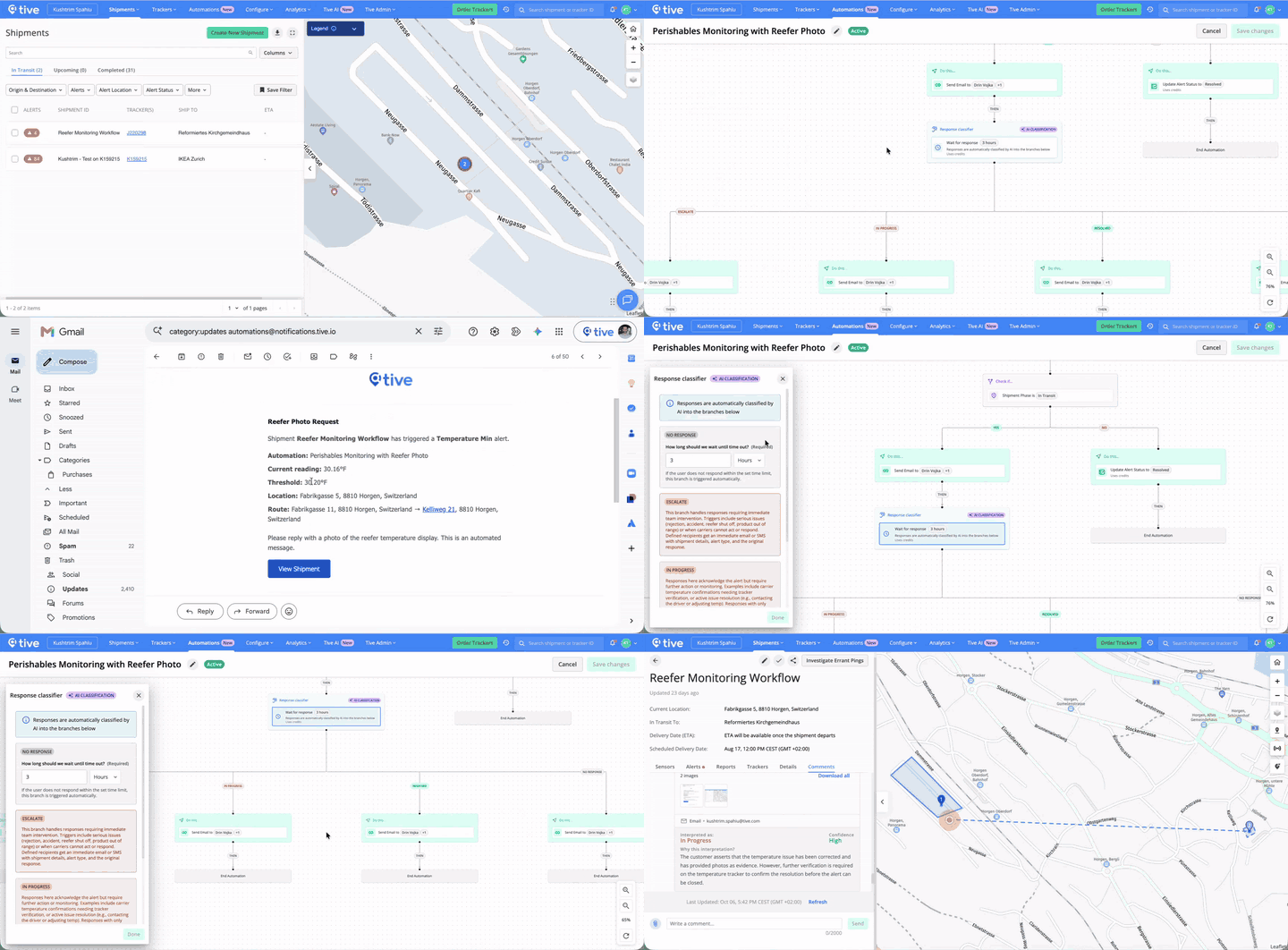
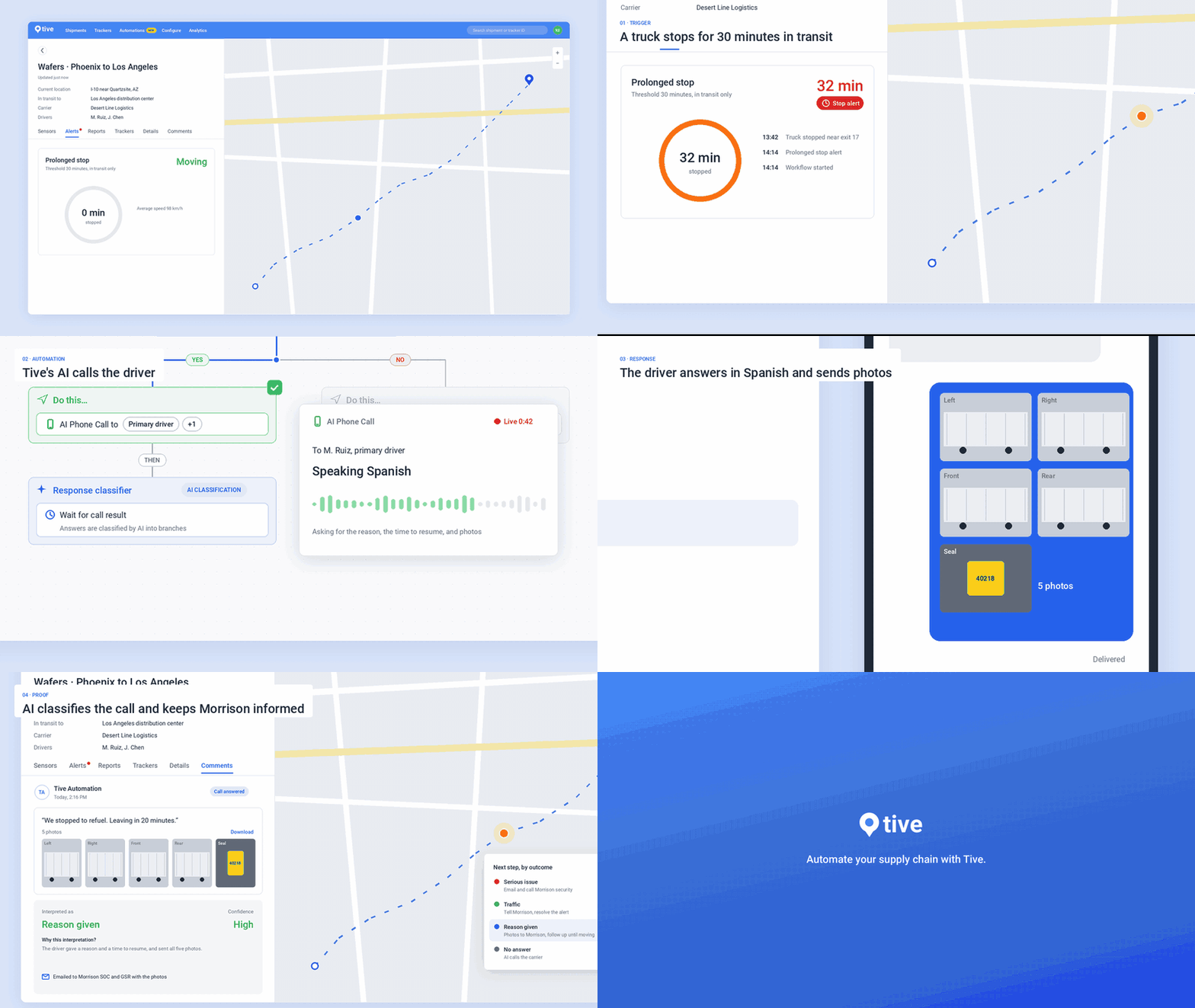
Each template is built into the Tive Platform, ready to switch on and adjust to your lanes, customers, and contacts.
Tive automatically creates shipments, applies your alert presets, and lets your team know the moment a tracker begins transmitting at origin. No manual data entry, even at high volumes.
When light is detected inside the destination geofence, the shipment is completed automatically, keeping your shipment records accurate without any manual effort.
When a shipment makes an unplanned stop close to its origin or destination, where risk is most common, Tive escalates to your team immediately.
When a potential risk event occurs, such as an unplanned stop and light exposure outside a safe zone, Tive switches the tracker to report every five minutes and notifies the designated people on your team.
Tive conserves battery life while cargo is at sea, then increases tracking frequency on road legs, where risks and handoffs are highest.
If your SOP is not covered by a template, the Tive team will build a workflow with you. Every workflow follows the same pattern: when an event happens and a condition is met, Tive takes an action.
Automatic shipment creation and auto-complete at unloading are included in every plan. Workflow templates for escalations and ocean visibility, and custom workflows, depend on your plan.
Shipments are created as soon as a tracker starts transmitting, and your alert presets are applied automatically.
Shipments close themselves when they are unloaded at the destination.
Escalates unplanned stops near origin or destination straight away.
Increases tracker reporting and notifies your team when a potential risk event occurs.
Saves battery while shipments are at sea, and tracks closely once the container is back on land.
Workflows built with the Tive team around your own SOPs.
What is a workflow automation?
Workflow automations are rules that act on shipment events automatically, on your behalf. When something happens and a condition is met, Tive takes an action, such as creating a shipment, escalating an alert, or notifying a contact.
Can workflows follow our own SOPs?
Yes. Templates cover the most common SOPs, and the Tive team can build custom workflows around your own escalation paths and contacts.
Are workflow automations part of Tive Intelligence?
Workflows that follow rules you set are part of the Tive Platform. Workflows where an AI agent takes an action for you, such as sending an email or making a phone call, are part of Tive Intelligence.
Tive will set up your first workflow around the SOPs your team follows today.

